To get someone into your guild in Palworld, both of you have to be in the same world first. Then the player who wants to join walks up to you (or any member of your guild), looks at you and holds the interact key, which Steam players say is F on PC, and picks the Join/Invite to Guild option. You accept the request and they’re in. Get the direction right: whoever sends the request ends up in the other player’s guild, and the joining player’s own base progress can reset.
Palworld left Early Access on July 9, 2026, according to its Steam store page. The guild steps below come from the community wiki and player reports written during Early Access; nothing found as of October 2026 says 1.0 changed how joining works, but the exact prompt wording may differ slightly on your version.
Guild invite mix-ups Palworld players keep reporting
“How do I invite my friend? I only see a join option”
This is the most common confusion. In a Steam Community thread on guild and party invites, replies explained that the friend has to come to the guild leader and hold F, which sends a request the leader then accepts. One reply called the process counterintuitive and warned that pressing F yourself on your friend puts you in their guild. The community wiki’s Guild page agrees that you can join either by sending a request or by accepting an invite, so the safe habit is simple: the newcomer does the asking.
“I invited a friend and my base went back to the start”
A player in a Steam thread titled “Guild mistake??” had a level 14 base, brought a friend into the world, used the guild option, and found the base reset to its starting state. Two replies said the poster had almost certainly joined the friend’s guild instead of the other way round. That matches the wiki: changing guilds drops your base advancement back to whatever level you had before, which can mean level 1.
“Our third friend joined and we all ended up in a new guild”
Another Steam discussion describes three friends landing in a fresh guild after the host sent the third player an invite, cutting the host off from the first guild’s bases. The only reply again blamed the direction of the request. It isn’t confirmed, but it lines up with the other reports, so have new members request from you.
“My friend can’t join and the game gives no reason”
In a thread marked solved, a host whose friend couldn’t join found the culprit was an option called “Automatically reject join Guild offers” being switched on. A later poster had the same problem with the setting already off; the suggestions there were to check the guild’s base limit and which player had the setting enabled. Neither was confirmed. The checklist further down covers all of these.
How to invite a player to your guild in Palworld
Here’s the order that avoids the reset problem. You are the guild master or a current member; your friend is the one joining.
- Get your friend into your world: a co-op world (up to 4 players, per the Steam page) or the same dedicated server (up to 32).
- If your friend has already placed a Palbox in this world, have them dismantle it first if your guild is near its Palbox limit (see the next section).
- Your friend walks up to you, aims at your character and holds the interact key. On PC that’s F by default, according to players in the Steam thread.
- They choose the guild join option from the prompt that appears.
- You get a request on screen. Accept it.
- Open the menu and check the Guild tab: your friend should now be listed, and the online member count should go up.
If you’re not the guild master, that’s fine. The wiki says joining works by approaching “another player”, and nothing in its description limits it to the master. A Steam player in the same invites thread asked whether the leader has to be online for this and got no answer, so if a request to a regular member fails, try again when the master is on.
Check the Palbox limit before anyone joins
A guild shares one Palbox allowance, so a new member who already has a base can be blocked from joining. The Palworld Wiki says the cap applies to the whole guild, not per player, and ranges from 3 to 10 depending on world settings. If joining would push the guild over, the join fails, and the fix is for the newcomer to dismantle their own Palbox before sending the request.
On a dedicated server, the admin controls this. Pocketpair’s server configuration docs (version 1.0.4 as of October 2026) list these guild settings:
| Server setting | What it controls |
|---|---|
| BaseCampMaxNumInGuild | Bases per guild; default 4, maximum 10 |
| GuildPlayerMaxNum | Maximum players in one guild |
| GuildRejoinCooldownMinutes | How long a player waits before rejoining a guild |
| bAutoResetGuildNoOnlinePlayers | Deletes a guild’s structures and base Pals when no member logs in for a set time |
That rejoin cooldown is worth knowing. If someone leaves to fix a mistake and immediately tries to come back, the server may refuse them until the timer runs out.
Why the guild join request isn’t working
Most failed invites come down to one of five things. Work through them in this order:
- The auto-reject option is on. Version 0.3.1 (June 27, 2024) added a setting that always rejects guild invites, per the patch notes collected by Game8. Check your options for the one that automatically rejects guild offers and turn it off for both players.
- The guild is at its Palbox limit. Have the newcomer pick up their Palbox, or raise the limit if you run the server.
- The guild is full. On a dedicated server, GuildPlayerMaxNum caps membership.
- The rejoin cooldown is running. Someone who just left a guild may have to wait.
- The request went the wrong way. If the prompt only offers to join the other player’s guild, you’re the one who should be standing still while they interact with you.
Managing members: guild master, kicks and leaving
Only the guild master can remove people, and the master can’t leave without handing the role on first. Details from the wiki and GameWith:
- Change guild master: in the Guild tab, select another member and choose Make Guild Master.
- Kick a member: the guild master can remove members from the Guild menu, even offline ones since version 0.1.5.0.
- Leave: open the Guild tab, press the red button in the top right corner, then confirm with Yes. A guild of one can’t be left, because its only member is automatically the master.
- Rename: the Guild screen has an option to change the guild’s name. New players all start in an “Unnamed Guild”.
Leaving costs you base progress, so don’t treat it as a quick undo button.
What guildmates share, and what they don’t
Joining is mostly about the base. Guild members can use each other’s workbenches and open base storage, and anything stored there can be used for crafting, according to GameWith. Password-protected chests stay private. Pals working at a base can be taken out of the Palbox by any member, no matter who put them there. That’s how people trade Pals, but it also means a careless guildmate can move yours.
Guildmates also show up on each other’s world map, and if your HP hits zero a guildmate can revive you before the countdown runs out (wiki). Personal progression isn’t shared, though, per GameWith.
On public dedicated servers, be choosy. A player in a Steam thread about invite-only guilds described a stranger joining their guild, breaking the Palbox and collapsing half the base before leaving; the group restored a 12-hour-old save. Replies suspected cheating, so settings alone may not stop it, but the auto-reject option and a server password are the sensible first defences.
Frequently asked questions
Can you play Palworld co-op without joining a guild?
Yes. Friends can share a world without sharing a guild. What they miss out on is the guild perks: shared base storage, shared Pals at the base and each other’s markers on the world map.
How many players can be in a Palworld guild?
It depends on the world. Co-op worlds hold up to 4 players, dedicated servers up to 32, and server admins can cap guild size with the GuildPlayerMaxNum setting.
Does joining a guild reset your base in Palworld?
It can. When you switch guilds, your base advancement goes back to the level you had before joining, which can mean level 1, so the player with the bigger base should usually be the one others join.
Is there a party system in Palworld separate from guilds?
Not that any source here describes. Guilds are how Palworld groups players for shared bases and map markers, and a Steam question asking for a separate party system got no answers.
How do I stop random players joining my guild?
Turn on the setting that automatically rejects guild invites, added in version 0.3.1, and put a password on your dedicated server if you run one.
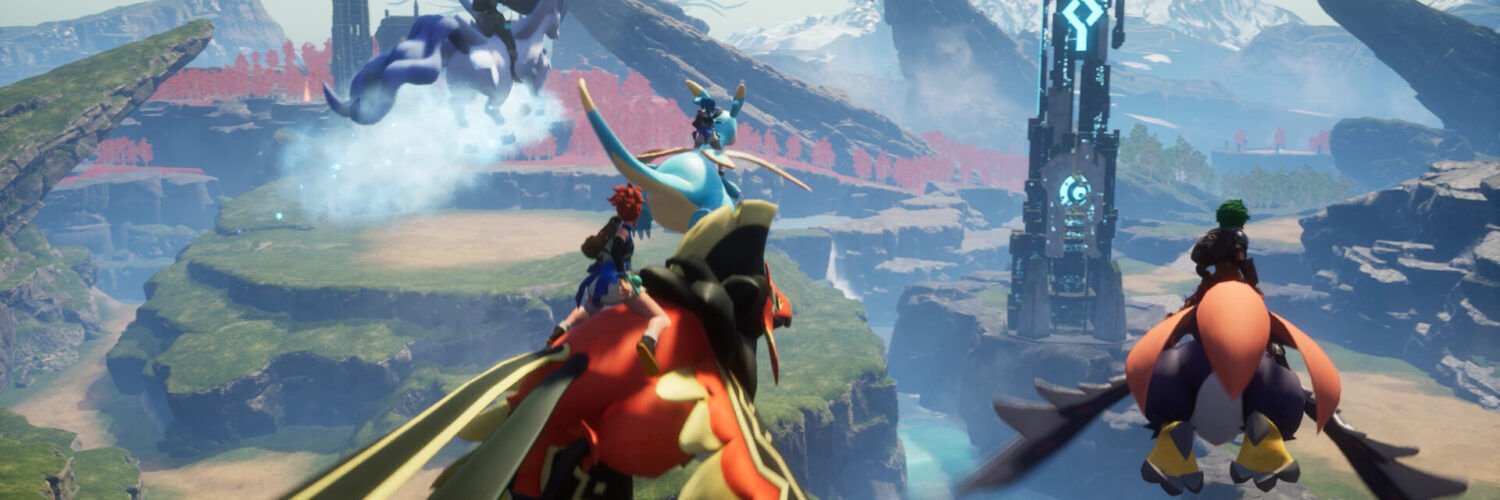
Featured image: Pocketpair / official Steam screenshots