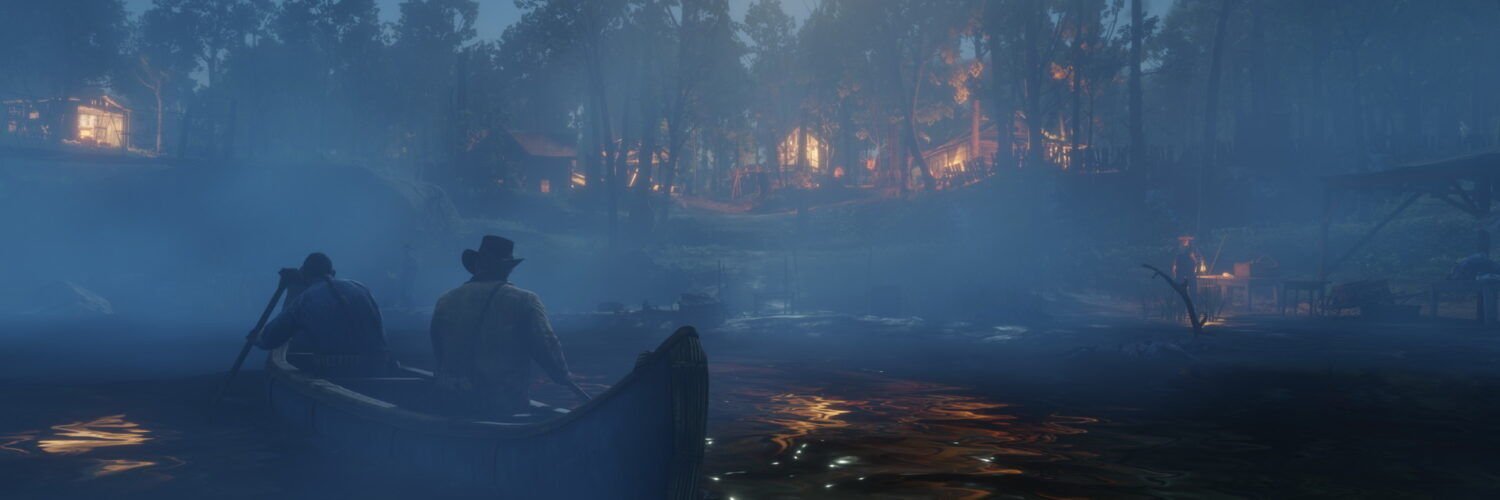
Yes, Red Dead Redemption 2 has been on PC since November 5, 2019, and it still sells on Steam, the Epic Games Store and Rockstar’s own store. The standard game costs $59.99 and the Ultimate Edition $99.99 on the Rockstar Store as of October 2026. To run it you need Windows 10 64-bit or later, at least an Intel Core i5-2500K or AMD FX-6300, 8GB of RAM, a GTX 770 2GB or Radeon R9 280 3GB, and 150GB of free space. Every copy, whichever store you buy from, also needs the Rockstar Games Launcher and a Rockstar account.
What PC players ask most about RDR2
“Vulkan or DX12, which one should I use?”
It’s the oldest argument on the game’s Steam forum, and there’s still no single winner. In a Steam thread about a GTX 1080, several players saw the same pattern: Vulkan gave slightly higher average FPS but more sudden dips, while DX12 felt smoother. One reply suggested turning on asynchronous compute in the settings file to cut Vulkan stutter. The fair advice: start on Vulkan, and if you see hitching, try DX12 and keep whichever feels better on your card.
“The game won’t start: ‘Rockstar Games Launcher failed to initialize'”
A January 2025 Steam thread collected this exact error from several players, all on capable PCs. Two different workarounds helped two different people: running the Rockstar Games Launcher as administrator, and launching the game from the Rockstar Games Launcher itself instead of through Steam. Neither is guaranteed, but both take a minute to try before you reinstall anything.
“It crashes every few minutes, and support says my PC is too weak”
In a long-running complaint on the Steam forum, a player with 32GB of RAM and an RX 6600 kept crashing to the desktop with an unknown error code FFFFFFFF. Rockstar support had suggested switching from DX12 to Vulkan, which hadn’t helped, and the thread never found a fix. It’s a useful warning that some crashes go beyond settings. Work through the official checklist further down before blaming your hardware.
“Can’t sign in on Steam Deck: error 1.000.7”
An October Steam thread describes a player who created a Rockstar account on another device but still couldn’t log in from the Deck. No fix was confirmed. A separate post from the same period complains about the game closing when the Rockstar session expires. Both point to the same thing: the Rockstar account layer, not the Deck hardware, causes most handheld trouble.
Red Dead Redemption 2 PC system requirements
These are Rockstar’s official requirements, last updated April 30, 2024.
| Part | Minimum | Recommended |
|---|---|---|
| OS | Windows 10 64-bit | Windows 10 64-bit |
| Processor | Intel Core i5-2500K / AMD FX-6300 | Intel Core i7-4770K / AMD Ryzen 5 1500X |
| Memory | 8GB | 12GB |
| Graphics | GeForce GTX 770 2GB / Radeon R9 280 3GB | GeForce GTX 1060 6GB / Radeon RX 480 4GB |
| Storage | 150GB | 150GB |
| Sound | DirectX compatible | DirectX compatible |
Rockstar also warns that integrated graphics and mobile chipsets may not work, so check what GPU a laptop actually has before buying the game for it.
Which version should you buy?
Buy from whichever store you already use. Every PC copy runs through the Rockstar Games Launcher anyway, as PCGamingWiki confirms, so the store mostly decides where your library and sales live.
| Edition | Price (Rockstar Store, Oct 2026) | What you get |
|---|---|---|
| Red Dead Redemption 2 | $59.99 | Story Mode and Red Dead Online |
| Ultimate Edition | $99.99 | Adds the Special Edition story extras (bank robbery mission, gang hideout, a horse, an outfit) plus Red Dead Online bonuses |
| Red Dead Online | $19.99 | Online mode only, no story |
Prices on the Rockstar Store; Steam and Epic run frequent sales, so check them before paying full price. Most people should get the standard edition. The Ultimate extras are small, and the story is the main reason to buy. Players on the Steam forum say the same: one thread of new-player tips told a newcomer to go straight to Story Mode.
A Steam copy gets you Steam Cloud saves and the easiest Steam Deck setup. An Epic copy syncs saves only through OneDrive if your Documents folder is backed up there.
Settings worth knowing on PC
The PC version has more graphics options than most games, and a few of them matter more than the rest:
- Graphics API. Vulkan or DirectX 12. HDR only works in fullscreen with Vulkan, according to PCGamingWiki.
- Upscaling. The game supports DLSS 2.2 and FSR 2.2. Turn one on before lowering texture quality.
- Frame rate. 60 FPS and higher are supported, but PCGamingWiki notes some physics, especially clothing, behave oddly above 30 FPS. It’s cosmetic, so whether it bothers you is a personal call.
- Ultrawide. Gameplay fills the screen, but cutscenes are boxed in.
- Controller. Xbox, PlayStation and DualSense pads all work with remapping presets. If yours won’t connect, the pairing steps in our DualSense connection guide cover Windows too.
RDR2 won’t launch or keeps crashing on PC
Start with Rockstar’s own general troubleshooting list, in this order:
- If you’ve ever had an AMD graphics card in the PC, run AMD’s Cleanup Utility, then reinstall your current driver.
- Update your graphics driver from NVIDIA, AMD or Intel.
- Temporarily turn off your antivirus and test again.
- Fully exit the Rockstar Games Launcher (right-click its icon in the taskbar and choose Exit), reopen it and let it update.
- Install pending Windows updates from Settings > Windows Update.
- In the launcher, open Settings > Account Information and choose Delete Local Profile, then sign back in. Rockstar says this doesn’t touch your account or saved games.
Two specific errors have known fixes on PCGamingWiki:
- ERR_GFX_D3D_DEFERRED_MEM after switching between Vulkan and DX12: change the API back in the game’s settings file (system.xml in DocumentsRockstar GamesRed Dead Redemption 2Settings) so it matches what worked before.
- The game asks you to buy it again, often Steam buyers who can launch Red Dead Online but not Story Mode. The fix involves deleting the Social Club, launcher and game configuration folders and reinstalling the launcher. Back up your Profiles folder first, because PCGamingWiki warns this wipes local saves.
Does RDR2 work on Steam Deck?
Yes. Valve rated it Verified back in 2022, Attack of the Fanboy reported at the time. In a Steam thread on handheld play, an original Steam Deck owner suggested a 40 FPS cap and expected around 30 to 40 FPS, with drops in towns. Expect sign-in hiccups more than performance problems, as the questions above show.
Is a new version of Red Dead Redemption 2 coming?
Not officially. Rumours of an enhanced or next-gen edition have run through 2026. In February, Insider Gaming reported an insider’s claim that it was still planned for this year, while PC Games Hardware noted another insider expected 2027 and that Rockstar had said nothing. As of October 2026, there’s no announcement, no PC-specific upgrade and no reason to wait instead of buying the current version.
Frequently asked questions
Can you play Red Dead Redemption 2 on PC offline?
Only partly. Rockstar says an internet connection is needed for activation and for periodic entitlement checks, so you can play Story Mode without a connection for a while, but not indefinitely.
Does Red Dead Redemption 2 run on Windows 11?
Rockstar’s official requirements still list Windows 10 64-bit, and players run it on Windows 11. Windows 7, 8 and 8.1 lost support when the Rockstar Games Launcher dropped them on January 30, 2024.
Can you buy just Red Dead Online on PC?
Yes. Rockstar sells standalone Red Dead Online for $19.99 as of October 2026. It doesn’t include Story Mode.
Where are Red Dead Redemption 2 PC save files?
Local saves are in DocumentsRockstar GamesRed Dead Redemption 2Profiles, inside a folder named with your user ID. Steam copies also sync through Steam Cloud.
Can you use a PS5 controller with RDR2 on PC?
Yes. PCGamingWiki lists full support for Xbox-style, PlayStation and DualSense controllers, with remapping presets.
How big is Red Dead Redemption 2 on PC?
Rockstar lists 150GB of storage for both the minimum and recommended specs, so leave extra room for updates.
Sources
- Rockstar Support: RDR2 PC system requirements
- Rockstar Support: RDR2 on PC general troubleshooting
- Rockstar Store: Red Dead Redemption 2
- PCGamingWiki: Red Dead Redemption 2
- Steam Community: Should GTX 1080 use Vulkan or DX12?
- Steam Community: “unable to launch game” and many other errors
- Steam Community: Steam deck
Featured image: Rockstar Games / official Steam screenshots