
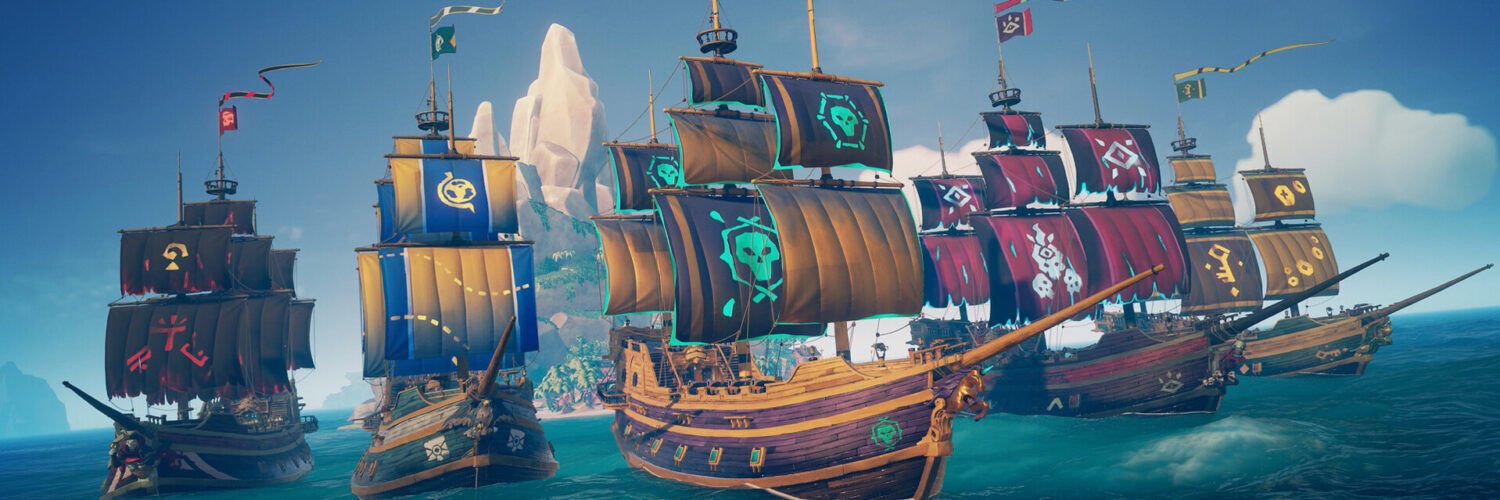
Yes, Sea of Thieves has full crossplay between PlayStation 5, Xbox Series X|S, Xbox One, Windows PC (Steam and the Xbox app) and Xbox Cloud Gaming. Everyone signs in with a Microsoft account, crossplay is on by default, and you can change it from the main menu under Settings > Matchmaking. To invite a friend on a different platform, add them as an Xbox friend first; that’s the step most failed invites come down to.
What players get stuck on with Sea of Thieves crossplay
“On PS5 my invite list only shows PlayStation friends”
A PS5 player on the official Sea of Thieves forum could receive invites from Xbox and PC friends but couldn’t send any back, because the crew invite screen listed only PSN friends. The reply pointed to Rare’s support article, and Rare’s answer is consistent across its cross-platform help pages: the other player has to be on your Xbox friends list. Adding them through the Xbox app (steps below) is the fix.
“Are Steam and Game Pass PC players on the same servers?”
Yes. In a forum thread with over 50,000 views, players confirmed that every version of the game shares servers. The useful detail is about progress: buying on Steam only gives you your existing pirate if the Steam copy is linked to the same Microsoft account you used on Xbox or Game Pass.
“Can console players avoid PC players completely?”
Not fully, according to a long thread on the official forum. The in-game controller setting is treated as a preference, so some players still meet PC crews, mostly in Hourglass. Replies say the only hard split on Xbox is the console’s own privacy setting for cross-network play, and they warn it can make Hourglass queues longer.
“My Steam friend sees me in Game Bar, but invites never form a crew”
A Steam player in a Steam Community discussion could see a PlayStation friend in the Xbox Game Bar, yet accepted invites never created a group. The one suggestion was to check the in-game crew option that allows friends to join your game; the thread never confirmed a fix. Rare’s Steam invite guide adds another common cause: the Steam copy has to be signed in to the same Xbox profile as the Xbox app on that PC.
Which platforms can play Sea of Thieves together?
All current versions share the same servers. When Microsoft announced the PS5 version, it confirmed crossplay across Xbox One, Xbox Series X|S, PC, PS5 and Xbox Cloud Gaming (Pure Xbox report on the announcement). The PS5 version launched on April 30, 2024.
| Platform | Plays with | What you need | Can you limit crossplay? |
|---|---|---|---|
| PlayStation 5 | Xbox, PC, cloud | Microsoft account linked to PSN, PS Plus for multiplayer | Yes: PlayStation-only, or controller players only |
| Xbox Series X|S and Xbox One | PS5, PC, cloud | Microsoft account | Yes: controller players only, or block cross-network play in Xbox privacy settings |
| PC (Steam) | Everyone | Steam linked to a Microsoft account | Rare’s opt-outs are aimed at consoles |
| PC (Xbox app / Microsoft Store) | Everyone | Microsoft account | Rare’s opt-outs are aimed at consoles |
| Xbox Cloud Gaming | Everyone | Microsoft account and cloud access | Not covered in Rare’s support pages |
One thing the table can’t show: there’s no separate “PC-only” lobby. If you play on PC, you’ll share the sea with console crews whenever they allow it.
How to turn crossplay off or on in Sea of Thieves
The switch is in the game, not on the console. Rare’s matchmaking preferences article gives the path:
- Go to the Main Menu.
- Select Settings.
- Scroll down to the Matchmaking section.
- Choose whether to allow cross-platform matchmaking. On a console you’ll also see an option to match only with other console players using a controller.
On PS5, turning crossplay off keeps you on sessions with PlayStation players only, according to Rare’s PS5 FAQ. The controller option is the middle ground: it lets PS5 and Xbox controller players sail together while steering you away from mouse-and-keyboard PC players.
Two trade-offs to know before you flip anything. Fewer eligible players means longer waits for a server, and players on the forum report Hourglass is where that hurts most. And the controller setting is a preference, not a guarantee, so you may still run into the odd PC crew.
Want a hard block on Xbox? Players on the official forum use the console’s privacy setting instead: Settings > Account > Privacy & online safety > Xbox privacy > View details & customize > Communication & multiplayer, then set cross-network play to Block. It applies to every game on that profile, not only Sea of Thieves, so most people are better served by the in-game Matchmaking option.
How to invite friends on another platform
Add the person as an Xbox friend, then invite them from the crew screen. Without the Xbox friendship, a PS5 or Steam player simply won’t show up in your list.
Step 1: add them as an Xbox friend
You don’t need an Xbox console for this. Rare’s support article lists two ways:
- Xbox app on a Windows PC: open the Friends tab, search the exact gamertag, right-click the right profile, choose Open Profile, then Add Friend.
- Xbox mobile app: tap Search, choose People, enter the gamertag, tap Done, open the profile and tap Add friend.
Until they add you back, you show up only as a follower, so ask your friend to return the favour. Spelling and spaces in gamertags matter; a near-miss gamertag is a classic reason the search finds the wrong person.
Step 2: send the invite
- PS5, in the lobby: press Square to open the in-game friends list, which shows PSN friends alongside Xbox friends.
- PS5, while playing: open the game options, pick My Crew, then press Square.
- Steam: in the lobby click Invite Friends (or press 1); in game press Esc, choose My Crew, then Invite Friends.
Rare’s PS5 invite guide also covers the other side: an invite from Xbox or PC shows up on PS5 as an in-game notification that you accept with X, while an invite from another PS5 player is accepted with the PS button.
Does progress carry over between platforms?
Yes, once the accounts are linked. A PS5 player who links the same Microsoft account used on Xbox or PC gets their existing pirate, and Rare’s PS5 FAQ says Commendations, cosmetics, Twitch Drops, gold, Doubloons and Ancient Coins sync across every linked platform.
A few platform exclusives stay put. The Duke ship set from the Xbox Series X|S launch can’t be used on PS5, for example. And pick the right accounts the first time: Push Square, quoting Rare’s FAQ, notes that the two linked accounts cannot be changed later. If you have more than one Microsoft account, check which one holds your pirate before you confirm.
Is there crossplay with Nintendo Switch?
No. As of October 2026, Sea of Thieves isn’t on Nintendo Switch or Switch 2. Spanish site Nintenderos reported a rumoured Switch 2 version for 2027 in June 2026, based on an unverified leak, and nothing has been announced.
Frequently asked questions
Is Sea of Thieves crossplay between PS5 and PC?
Yes. PS5 players share servers and crews with Steam, Microsoft Store and Xbox app players on PC, as long as the PS5 player has linked a Microsoft account and leaves crossplay switched on.
Do I need Xbox Game Pass to play Sea of Thieves on PS5?
No. Rare’s PS5 FAQ says Game Pass isn’t required on PlayStation, but you do need PlayStation Plus for multiplayer and a Microsoft account to sign in.
Can I play Sea of Thieves on PS5 without PlayStation Plus?
Only alone in Safer Seas. Without PS Plus you can’t join other players or invite them, and Safer Seas still needs an internet connection because it runs on Rare’s servers.
If I own Sea of Thieves on Xbox, do I get it free on PS5?
No. Rare says PS5 players must buy the Standard, Deluxe or Premium Edition from the PlayStation Store, since Xbox Play Anywhere doesn’t extend to PlayStation. Your progress carries over once the accounts are linked.
Is crossplay on by default in Sea of Thieves?
Yes. It’s on unless you change it under Settings > Matchmaking from the main menu, which is why a new PS5 player will usually meet Xbox and PC crews straight away.
Is Sea of Thieves on Nintendo Switch?
No, as of October 2026 there’s no Switch or Switch 2 version. A Switch 2 port has been rumoured for 2027, but Rare and Microsoft haven’t announced one.
Main sources: Rare’s PS5 FAQ, the Sea of Thieves support articles on matchmaking, adding Xbox friends and PS5 invites, plus VGC’s report on Rare’s PS5 crossplay plans and threads on the official forum and Steam Community.
Featured image: Rare / Microsoft / official Steam screenshots