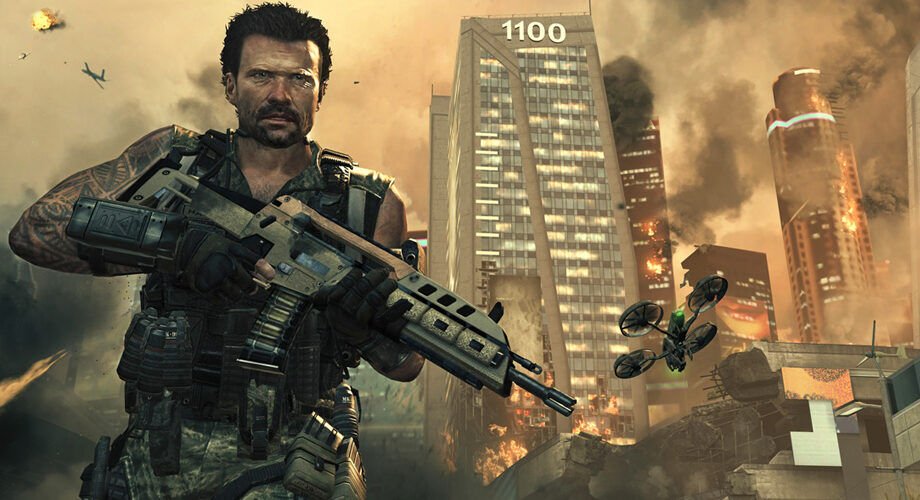
“Unhandled exception caught” is the generic crash box the PC version of Call of Duty: Black Ops II shows when the game hits an error it can’t recover from. There’s no single cause, but the fixes that work most often are: run the DirectX and Visual C++ installers from the game’s own redist folder, verify the game files in Steam, and close overlays and audio or RGB utilities (MSI Afterburner, Razer Synapse, SteelSeries GG, Voicemeeter) before launching. If the crash only happens at one campaign mission, the fix is usually different, and that’s covered below.
Black Ops 2 unhandled exception caught: what players have tried
Players have been reporting this error on Steam since December 2012, weeks after the game’s November 2012 launch, and new threads still appear. These threads show the patterns worth knowing.
“It freezes in the first mission cutscene, then the error pops up”
In a r/blackops2 thread from October 2024, a player could run Multiplayer and Zombies but the campaign crashed in the first mission. Verifying files, compatibility modes and reinstalling DirectX and Visual C++ didn’t help. Other people in the thread found their own fixes: one moved the game from an external SSD back to the internal drive, and another stopped the crash by disabling SteelSeries GG at startup (though it came back later for them). The original poster’s crash was still unsolved, which tells you this error can have more than one cause on the same game.
“Cordis Die crashes right after the opening cutscene”
The same Reddit thread has a mission-specific workaround: a player who crashed on Cordis Die replayed the mission before it, Odysseus, and then Cordis Die loaded. It’s one report, but it costs nothing to try if you’re stuck on a single level.
“Multiplayer freezes after connecting to online servers”
A Steam Multiplayer discussion describes the menu freezing after “Connecting To Online Servers”, then a “stopped working” box, then the exception. The reply there lists the usual suspects: the DirectX and vcredist installers in the game folder, monitoring overlays, Razer audio software and antivirus. A later reply claims switching Steam to the Steam Beta Update fixed it, but nobody else confirmed that, so treat it as a last try, not a first one.
“The game crashes on launch and I use Voicemeeter”
This one has real confirmation. In a Steam Zombies thread, a player fixed a launch crash with the unhandled exception box by disabling every Voicemeeter device except the ones they used. Two other players replied that it worked for them as well. The poster also suggested disabling extra input devices, including a DualSense controller’s microphone.
“After every mission the game crashes” (the 2012 career record bug)
Early Steam reports and a second campaign thread describe crashes at the end of campaign missions, during the loading screen or when opening the Career Record. Nobody in the visible replies found a fix. If your crash matches this exactly, the mission-replay tip and moving the game to an internal drive are the newer ideas to try.
Match the fix to when the crash happens
Black Ops II on Steam is split into separate entries, each with its own program file: t6sp.exe for the campaign, t6mp.exe for Multiplayer and t6zm.exe for Zombies. Knowing which one crashes, and when, narrows things down fast.
| When it crashes | Most likely cause | Try first |
|---|---|---|
| Straight away on launch | Missing DirectX/Visual C++ files, an overlay or audio software conflict | Redist installers, then close background apps |
| After clicking Online, at the menu | Overlay, antivirus or a damaged Multiplayer install | Verify the Multiplayer entry, close overlays, antivirus exclusion |
| At one campaign mission or cutscene | Game on an external drive, a startup utility, or a stuck save | Move to internal drive, replay the previous mission |
| After a big Windows update | Runtimes or compatibility settings lost | Rerun the redist installers, try Windows 7 compatibility |
Fixes, in the order worth trying
1. Run the game’s own DirectX and Visual C++ installers
This is the fix most often suggested across the Steam threads, and the easiest. Black Ops II is a 2012 game that relies on older runtime files Windows 10 and 11 don’t always have.
- In Steam, open your Library, right-click Black Ops II and choose Properties.
- Select Installed Files (called Local Files in older Steam versions) and click Browse to open the game folder.
- Open the redist folder and run vcredist_x86.exe.
- Open redist > DirectX and run DXSETUP.exe.
- Restart the PC and launch the game.
Use the x86 file the game ships with, even on 64-bit Windows: Microsoft’s Visual C++ download page explains that the redistributable must match the app’s architecture, and the x64 package doesn’t cover 32-bit programs. If DXSETUP.exe is missing, Microsoft’s DirectX End-User Runtime Web Installer adds the same legacy DirectX 9, 10 and 11 helper files. It won’t change your DirectX version, which is normal.
2. Verify the right Steam entry
Go to Library, right-click the game, then Properties > Installed Files > Verify integrity of game files. Do it for the entry that actually crashes: verifying the campaign won’t repair Black Ops II Multiplayer or Zombies. If your antivirus quarantines a file during the check, verification will keep failing, so add the exclusion from step 5 first.
3. Close overlays and utilities, then test a clean boot
Activision’s own Black Ops II crash article says PC crashes mostly happen at launch or in public multiplayer matches, and its main PC advice is to close background applications and keep the computer cool. The community list of troublemakers is more specific: MSI Afterburner with RivaTuner, Nvidia ShadowPlay, NZXT CAM, Fraps, Razer Synapse and SteelSeries GG all come up in the threads above.
If you can’t tell which program is the culprit, use Microsoft’s clean boot steps: open msconfig, tick Hide all Microsoft services on the Services tab, click Disable all, then disable the startup apps in Task Manager and restart. If the game works, turn things back on in small groups until the crash returns. Write down what you disabled so you can undo it with Normal Startup afterwards.
4. Disable extra audio and input devices
Virtual audio cables and mixers trip this game up surprisingly often. The Voicemeeter fix above worked for three players, and an older startup crash thread also suggested disabling a second sound card. Turn off any playback or recording devices you don’t use, unplug extra controllers and headsets with built-in mics, and try again.
5. Add the game to your antivirus exclusions
Add the Black Ops II install folder, or at least t6sp.exe, t6mp.exe and t6zm.exe, to your antivirus exclusion list. Avast, AVG and Bitdefender were named in the Multiplayer thread. Don’t switch your antivirus off permanently to play an old game.
6. Move the game off an external drive
If Black Ops II sits on a USB drive or external SSD, move or reinstall it on an internal drive. That was the whole fix for one Reddit user whose campaign kept crashing.
7. Try Windows 7 compatibility mode, without admin
Right-click the crashing exe in the game folder, open Properties > Compatibility and set Windows 7. A widely shared Windows 10 fix thread paired this with the redist installers. Leave Run this program as an administrator unticked: players in that thread got stuck in a loop of permission prompts with it on, and the author later removed that step. One player there only got it working after Microsoft’s Program Compatibility Troubleshooter, which Microsoft lists under Settings > System > Troubleshoot > Other troubleshooters.
8. Check that your graphics hardware is supported
The Steam store page lists a GeForce 8800GT or Radeon HD 3870 with 512 MB as the minimum, and Windows Vista SP2 or Windows 7 as the official systems. In one Zombies crash thread, the error report pointed at an Intel integrated graphics driver, and the replies noted that Intel HD Graphics fell below those minimums. Update your graphics driver from Nvidia, AMD or Intel, and on a laptop with two GPUs, make sure the game uses the dedicated one.
Is there anything you shouldn’t do?
Skip “fixes” that ask you to download replacement exe or DLL files from random sites. They can carry malware, and the real files come back with a Steam verify anyway. Some players also point to Plutonium, a third-party client, but the Reddit thread notes it doesn’t cover the campaign, and it isn’t an Activision product.
Frequently asked questions
What does “unhandled exception caught” mean in Black Ops 2?
It means the game ran into an error it had no code to handle, so it shut itself down. The message is generic, which is why the cause can be anything from missing runtime files to a clashing overlay.
Does this error happen on Xbox or PlayStation?
The threads about this message are all from the PC version. Activision’s crash article describes console crashes differently, with PlayStation crashes showing codes such as CE-34878-0.
Will reinstalling Black Ops 2 fix it?
Sometimes, but players in the 2012 Steam threads reinstalled and still crashed. Verifying files and running the redist installers does the same repair job much faster.
Does Black Ops 2 run on Windows 11?
Steam officially lists only Windows Vista SP2 and Windows 7, as of October 2026. Many players run it on Windows 10 and 11 after installing the older DirectX and Visual C++ files, but that isn’t an official guarantee.
Can I lose my campaign progress?
Players with end-of-mission crashes reported progress saving only some of the time. If a mission keeps crashing, replaying the previous mission is a safe test because it doesn’t delete anything.
Sources
- Activision Support: crashes or game freezes in Black Ops II
- Steam: Call of Duty: Black Ops II store page
- Microsoft Support: how to perform a clean boot in Windows
- Microsoft: DirectX End-User Runtime Web Installer
- Microsoft Learn: Visual C++ Redistributable downloads
- r/blackops2: unhandled exception caught (2024)
- Steam Community: Unhandled Exception Caught (Multiplayer)
- Steam Community: unhandled exception crash fix (Zombies)
- Steam Community: Windows 10 unhandled exception fix
Featured image: Treyarch / Activision