
You’d think putting a console to sleep would be the easiest thing in the world.
It’s 2026. Phones do it. Laptops do it. Even TVs kind of do it.
And yet, the first time you try to put a PS5 into rest mode, you end up staring at the screen thinking:
Why is this harder than it needs to be?
If you’ve tapped the power button and accidentally turned the whole thing off instead—yeah, you’re not alone.
The Simple Way (Once You Know Where to Look)
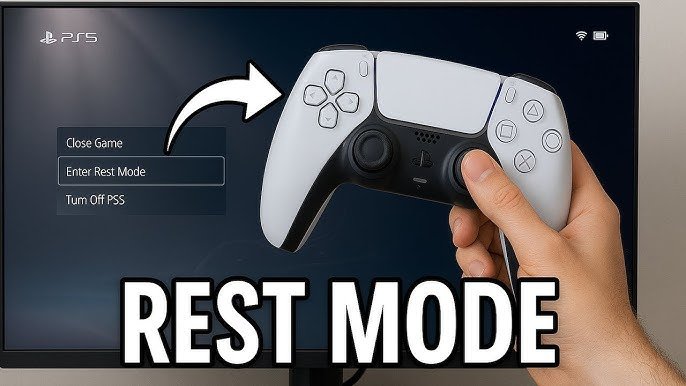
Here’s the actual method, the one that works every time:
- Press the PlayStation button on your controller
- Scroll to the bottom menu (Control Center)
- Go all the way to the Power icon
- Select Enter Rest Mode
That’s it.
The problem is, none of this is obvious the first time. The power option isn’t front-and-center—it’s tucked away like something you’re not supposed to use often.
Why People Keep Getting It Wrong
A lot of people assume you can just:
- Tap the console’s power button
- Or hold the PS button and get a quick shortcut
But the PS5 doesn’t really work like that.
Pressing the physical button can:
- Put it in rest mode
- Or fully turn it off
…and unless you’re paying attention to the beep pattern (which, let’s be honest, nobody memorizes), it’s easy to mess up.
That’s why most people stick to the on-screen method—it’s just safer.
The “Shortcut” Everyone Looks For
There is a slightly faster way, but it’s not exactly a shortcut in the traditional sense.
Once you press the PS button:
- The Control Center pops up instantly
- The Power option is always in the same place
So after a while, it becomes muscle memory:
PS button → down → all the way right → rest mode
Not elegant, but it gets quick with repetition.
What Rest Mode Actually Does (Because It’s Not Just “Sleep”)
This part confuses a lot of people.
Rest mode isn’t just turning the screen off—it’s more like putting your PS5 on standby while it quietly keeps doing useful stuff.
When it’s in rest mode:
- Your games stay suspended
- Downloads and updates continue
- Controllers can still charge
- You can jump back into your game almost instantly
It’s basically the difference between starting fresh and picking up exactly where you left off.
The Part People Worry About
There’s always that question:
Is it safe to leave my PS5 in rest mode all the time?
Short answer: yeah, mostly.
Long answer: it depends on your setup.
Some people prefer shutting it down completely—especially if:
- Power outages are common
- The console is plugged directly into the wall (no surge protection)
But under normal conditions, rest mode is designed to be used regularly. It’s not some hidden feature—it’s part of how the console is meant to work.
One Small Setting Worth Checking
If you’re going to use rest mode a lot, it’s worth checking what your PS5 is allowed to do while it’s in that state.
Things like:
- Staying connected to the internet
- Supplying power to USB ports
These can be adjusted in settings, depending on whether you want full functionality or just a basic standby.
Most people never touch this—but it can make a difference.
So Why Does This Feel Confusing?
Honestly, it’s just a design thing.
The PS5 interface looks clean, but some of the most basic actions—like power options—aren’t where your brain expects them to be.
Once you’ve done it a few times, it becomes second nature.
But that first attempt?
Yeah, it’s weirdly unintuitive.
The Takeaway
Putting your PS5 into rest mode isn’t complicated—it’s just slightly hidden.
Once you know:
- PS button
- Control Center
- Power → Rest Mode
…it becomes one of those things you stop thinking about entirely.
Until then, though, it’s a surprisingly common “wait, how do I do this?” moment.