
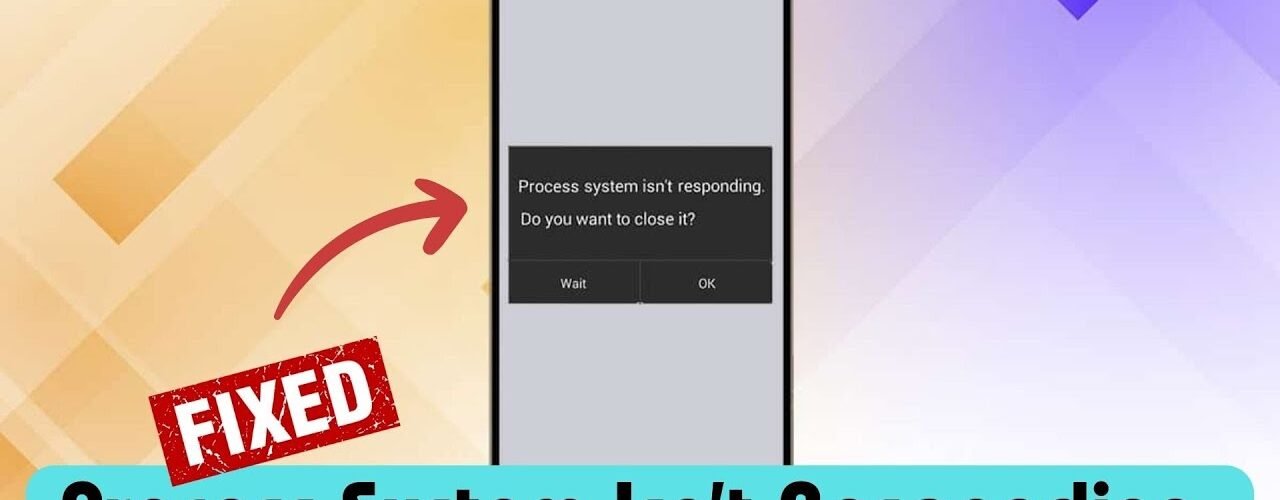
I ran into this issue randomly — my phone froze, started lagging, and then a popup appeared:
“Process system isn’t responding. Close app or wait?”
At first, nothing worked. Tapping buttons didn’t help, and even restarting felt impossible. After trying a few things, I figured out what actually causes it and how to fix it.
What This Error Actually Means
This error usually shows when your phone’s core system process gets stuck or overloaded.
That’s why you’ll notice:
Phone freezing
Buttons not responding
Apps crashing or not opening
In some cases, the phone can even get stuck in a loop or become unusable for a few minutes.
What Usually Causes It (Real Reasons)
From experience and testing, these are the most common causes:
- Too Many Apps or Low Storage
If your storage is almost full, Android struggles to run basic processes.
👉 This can trigger system errors easily
- Bug After Update
Sometimes this happens right after:
Android update
Security patch
App updates
Small bugs can break system processes temporarily.
- Problematic App
A newly installed app can mess with the system.
This is very common — especially with:
Mod apps
Heavy apps
Poorly optimized apps
- Cache or System Glitch
Over time, cache builds up and can cause weird behavior.
- SD Card or Storage Issue
If you’re using an SD card:
Corrupted data can cause system errors
Phone fails to read files properly
Fix 1: Force Restart (Most Important)
If your phone is stuck:
Press and hold Power button (10–15 seconds)
Or Power + Volume Up (depends on device)
👉 This worked instantly for me and many others facing the same issue
Fix 2: Free Up Storage
Check your storage.
If it’s almost full:
Delete unused apps
Remove large files
👉 Keep at least 1–2GB free space for smooth performance
Fix 3: Boot in Safe Mode
This helps check if an app is causing the problem.
Steps:
Hold Power button
Long press “Power Off”
Enter Safe Mode
If your phone works fine there → an app is the problem
Fix 4: Update Your Phone
Go to:
Settings → Software Update
Install any pending updates.
👉 Many times, this error is just a bug that gets fixed in updates
Fix 5: Remove Recently Installed Apps
Think about what you installed recently.
Remove it
Restart your phone
👉 This solves the issue surprisingly often
Fix 6: Clear System Cache
You can:
Clear app cache individually
Or wipe cache partition (advanced users)
👉 Helps remove system glitches
Fix 7: Remove SD Card (If You Use One)
Take out SD card
Restart phone
👉 If problem disappears → SD card is faulty
Last Option: Factory Reset
If nothing works:
Backup your data
Reset your phone
👉 This completely removes system-level issues
Final Thoughts
This error looks serious, but most of the time it’s caused by:
Storage issues
Buggy apps
Temporary system glitch
Start with a force restart, then check storage and apps — that’s usually enough to fix it.